Embark on a humorous and relatable journey into the chaos of DIY computer upgrades, where tangled wires, missing screws, and hardware surprises turn a simple task into a comedy of errors. Are you ready to navigate a maze of compatibility issues, static shocks, and organizational chaos? While the promise of enhanced performance beckons, the reality is often messy, with each setback an opportunity to learn and laugh. From troubleshooting hardware conflicts to hunting down elusive screws, every mistake amplifies the satisfaction of a successful upgrade. This narrative celebrates patience, humor, and persistence, encouraging readers to embrace the unpredictable nature of tinkering. Would you dare to transform frustration into fun and master the art of navigating the exhilarating chaos? Prepare for a rollercoaster of mishaps and triumphs that will leave you wiser, more resilient—and with stories worth sharing long after the wires are untangled.

Dive Into the Exciting Chaos of DIY Computer Upgrades
Upgrading a computer is one of those projects that can feel both exciting and a little chaotic. Many people jump into it hoping to boost performance, extend their machine’s lifespan, or just customize their setup. The idea of swapping out a hard drive for an SSD or adding more RAM seems straightforward—until you open the case and realize there’s a lot more happening behind the scenes. Suddenly, you’re faced with a maze of wires, tiny screws, and unfamiliar components that all seem to conspire to make the process more complicated than it looks in tutorials.
What makes DIY upgrades so popular is the sense of control they offer. Instead of shelling out for a brand-new machine, you get to breathe new life into your existing setup. Plus, tinkering with hardware can be oddly satisfying—like solving a puzzle or mastering a craft. But the reality is often messier than expected. Once the case is open, tangled cables resemble a plate of spaghetti, and the small screws seem to vanish into the depths of the case, making you question if they’ve developed a mind of their own.
As you dive deeper, the humor of the situation begins to emerge. Compatibility issues, unexpected hardware conflicts, or simply a screw that disappears just as you’re about to finish—these moments turn an otherwise simple upgrade into a comedy of errors. It’s amazing how something so tiny can cause a domino effect, delaying your progress and testing your patience. Yet, these mishaps often become the stories that make the project memorable—stories you’ll laugh about long after the wires are untangled and the system finally boots.
Despite the chaos, there’s a certain charm in the unpredictability of DIY upgrades. Every mistake—whether it’s installing a component backwards or losing a screw—teaches you something new. The process becomes less about perfection and more about perseverance. And if you can manage to keep your sense of humor through the chaos, you’ll find that the journey is just as rewarding as the upgrade itself. After all, nothing beats the satisfaction of turning a tangled mess into a functioning, faster machine you built with your own hands.
Conquering Common Pitfalls: Hardware Conflicts and Tangled Cables
When you start a DIY computer upgrade, one of the first hurdles is dealing with hardware conflicts. Even with thorough research, surprises happen—like a new SSD that isn’t recognized because your motherboard’s BIOS needs an update, or RAM that refuses to boot because it’s incompatible with your existing modules. These issues can turn a straightforward swap into hours of troubleshooting, making you feel like you’re chasing ghosts rather than improving your machine. Often, you find yourself digging through online forums or official manuals, trying to decode compatibility charts that seem written in a foreign language.
Meanwhile, tangled cables—those infamous “spaghetti wires”—are a common headache. As you disconnect old parts and connect new ones, wires twist and loop into knots that look impossible to untangle later. Managing these cables isn’t just about aesthetics; it’s vital for airflow and future maintenance. Without organization, you risk creating a web so dense that troubleshooting or upgrading again becomes a nightmare. Using twist ties, color-coded tags, or cable sleeves can help, but even then, the mess can feel overwhelming, especially when cables refuse to reach their ports or get caught in tight spaces.
Another frequent challenge involves incompatible parts. Despite careful planning, sometimes a component just doesn’t fit or work as expected. For example, you might buy a drive that’s advertised as compatible, only to find it’s not recognized without a BIOS update or firmware tweak. RAM sticks might be incompatible with your motherboard’s chipset, or a power supply might lack the wattage needed for your upgraded GPU. These surprises remind us that hardware isn’t always plug-and-play, requiring patience and double-checking specifications before proceeding.
Small parts introduce their own set of problems. Tiny screws, in particular, have a knack for vanishing at the worst moment. No matter how careful you are, one will disappear behind the motherboard, hide in a corner of the case, or slip into the depths of your workspace. Weeks later, you might find it lodged in a sock drawer or buried beneath a pile of cables. This ongoing game of hide-and-seek adds an unexpected layer of frustration but also humor to the process.
Static electricity and delicate components are another source of trouble. Mishandling a motherboard or RAM can cause sparks or even short circuits. Sometimes, a simple static shock is enough to wipe out a part or cause boot failures. These mishaps are frustrating but serve as valuable lessons in grounding techniques and cautious handling. A moment’s carelessness can turn what should be a smooth upgrade into a costly mistake, emphasizing the importance of patience and proper safety measures.
Then there are the small but crucial steps that trip up even experienced builders. Installing a component backwards, forgetting to connect a power cable, or misaligning a connector can cause system errors or prevent booting altogether. These mistakes are often obvious in hindsight but easy to overlook in the moment—especially when rushing or distracted. They highlight how attention to detail is vital, even for seemingly minor steps.
The biggest chaos often comes from realizing that your carefully chosen hardware isn’t compatible or doesn’t work as planned. No amount of research can prevent every surprise, and sometimes you’re left with a system that refuses to cooperate. Troubleshooting these issues can be tedious—re-seating components, updating firmware, or swapping parts—but each setback is a chance to learn and refine your approach.
In the end, the typical DIY upgrade is a rollercoaster of frustration and triumph. Hardware conflicts, tangled cables, missing screws, and compatibility surprises form the core of the chaos. But with patience, organization, and a bit of humor, these challenges become part of the journey—lessons that make the final victory even sweeter.

Hilarious Tales from the DIY Frontlines
Over the years, DIY PC builders have shared some true gems—stories that are as funny as they are painfully relatable. One user recounted spending hours installing a new graphics card, only to realize they’d forgotten to connect the power cable. After a long troubleshooting session, they finally spotted the loose plug and watched their system spring to life. It’s a classic mistake that reminds us even the simplest steps can slip by when you’re deep in the weeds of a project.
Another story involves screws that seem to have developed a secret life of their own. One builder joked that they spent more time hunting for a tiny screw than actually installing the hardware. Weeks later, they found it lodged behind the motherboard tray, hidden like it was playing hide and seek. These small parts have a knack for vanishing at the worst moment, turning a straightforward task into a treasure hunt that tests patience and humor alike.
Then there’s the tale of someone trying to upgrade their RAM. They carefully followed instructions and inserted the sticks, only for the system to refuse to boot. After hours of troubleshooting, they realized they’d installed the RAM backwards—an easy mistake but one that shows how rushing or distraction can lead to overlooked details. It’s a reminder that precision matters, especially with tiny components that demand careful handling.
Some builders have faced more amusing setbacks, like buying an SSD that’s supposed to be compatible but isn’t recognized without a BIOS update. Or discovering their new power supply isn’t enough to run the upgraded GPU, leading to sparks or sudden shutdowns. These surprises make clear that hardware isn’t always straightforward, and even the best plans can hit unexpected snags. But each issue becomes a funny story in hindsight, part of the learning curve every DIY enthusiast faces.
Many share tales of chaos turned comedy—like a builder who spent an hour untangling a knot of wires only to realize they’d connected the wrong power cable. When they finally fixed it, their system booted perfectly, proving that sometimes the smallest wiring mistake can cause the biggest headaches. These stories highlight how patience and attention to detail can turn frustrating moments into triumphs, all while sharing a good laugh along the way.
Mastering the Art of Navigating Hardware Mishaps with Humor and Organization
When chaos hits during a DIY upgrade, the best move is to stay calm. Frustration is natural—screws go missing, cables twist into knots, and suddenly your workspace looks like a wiring tornado. Panicking only makes things worse. Instead, take a deep breath, step back, and remind yourself that setbacks are part of the process. Humor can be a powerful tool here; laughing at the mess helps diffuse tension and clears your mind for the next step.
Organization is your secret weapon. Label cables with masking tape or color-coded tags so you know exactly where each belongs. Use twist ties or Velcro strips to bundle wires neatly, preventing a spaghetti mess from spiraling out of control. Disconnect components one at a time, and work systematically. It might slow you down initially, but it saves hours later when troubleshooting or reassembling. A tidy workspace makes the chaos manageable and reduces the risk of mistakes.
Patience is key. Rushing often leads to errors—forcing connections, damaging delicate parts, or skipping steps. Slow down, double-check each move, and resist the urge to force anything that doesn’t fit. Sometimes, a simple firmware update or reseating a component is all that’s needed. Remember, most hardware issues are fixable with a calm approach and careful handling. Taking your time prevents big mistakes and keeps your project moving forward smoothly.
When you encounter a snag, turn to online forums or tutorial videos. A quick search can reveal simple solutions or untangle stubborn cables. Seeing someone else walk through the same problem can boost your confidence and offer fresh ideas. Sometimes, a second opinion or a new perspective is all it takes to turn frustration into a breakthrough. Don’t hesitate to ask for help—it’s part of the learning process.
If a screw has vanished into the depths of your case, don’t panic. Methodically retrace your steps—check every nook, corner, and hidden crevice. Use a flashlight to illuminate dark spots. Labeling your parts and organizing screws as you go can prevent this frustration altogether. If a screw does go missing, know it’s common; it’ll often turn up in the strangest places, like inside a sock drawer or beneath a pile of cables. Patience and persistence are your best allies.
Handling static-sensitive components requires care. Mishandling can cause sparks or damage, turning a straightforward upgrade into a costly mistake. Always ground yourself properly—touch a metal surface or use an anti-static wrist strap. Work on a non-static surface and avoid wearing static-prone clothing. These small precautions protect your hardware and save you headaches down the line. A little extra caution goes a long way in keeping your project on track.
Recognize that mistakes happen—installing a component backwards, connecting the wrong cable, or misaligning parts. Each error is a chance to learn, not a failure. Take it in stride, troubleshoot patiently, and keep a sense of humor. Sharing these stories with friends or online communities turns mishaps into bonding moments and makes the entire experience more enjoyable. Remember, every setback is just a step toward becoming more skilled and confident.
Finally, celebrate each victory—whether it’s successfully installing a new component or untangling a stubborn cable. Appreciating these small wins keeps your spirits high and helps you see the upgrade as a rewarding adventure. Embrace the chaos as part of the journey, knowing that with patience, organization, and humor, you’ll transform a messy project into a satisfying accomplishment. The mess is temporary, but the skills and stories you gain last a lifetime.
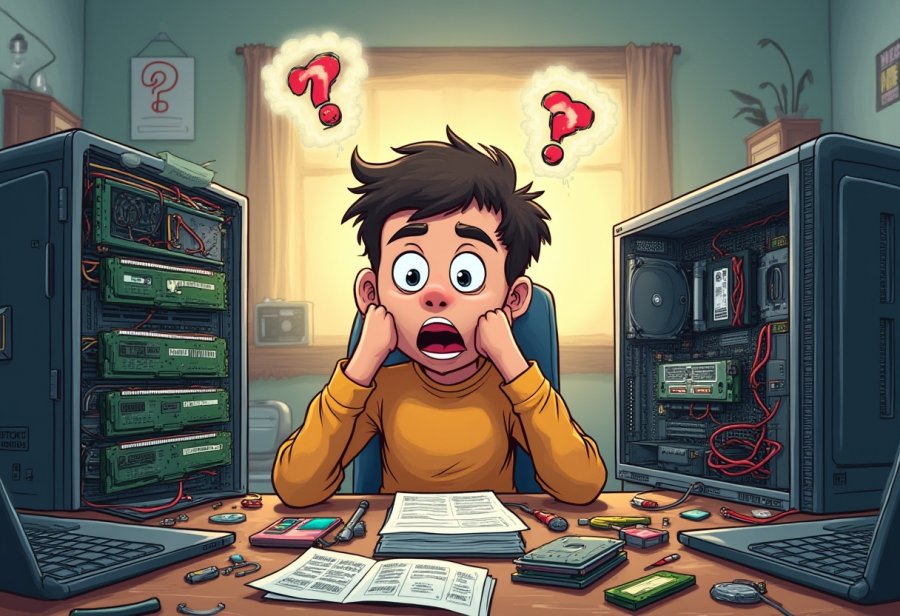
Celebrating the Joy of Embracing the Upgrade Chaos
Getting comfortable with the chaos of DIY computer upgrades turns the process into something genuinely enjoyable. Instead of stressing over tangled wires or missing screws, see these moments as part of the adventure. They’re what make the project memorable and, in the end, more rewarding. Embracing the mess helps you enjoy each step, knowing that every mistake is just a stepping stone toward a better understanding and greater skill. With patience and humor, even the most frustrating setbacks become stories you’ll laugh about later.
Every slip-up—whether it’s a screw hiding in a corner or a cable plugged into the wrong port—teaches you something new. These small failures slow you down momentarily but build your problem-solving patience. Over time, you’ll become more confident in troubleshooting and more attuned to the little details that matter. The chaos gradually shifts from feeling overwhelming to feeling like part of the journey. Each challenge faced adds to your experience, making future upgrades smoother and more straightforward.
Sharing these mishaps with friends or online communities adds a layer of camaraderie. Everyone has their own stories of lost screws or tangled cables, and knowing you’re not alone makes the chaos easier to handle. Laughter and shared frustration turn these moments into bonding experiences, reminding us that mistakes are just part of the learning curve. They’re stories you’ll look back on with a smile, celebrating how far you’ve come and how much you’ve learned along the way.
Seeing the chaos as a natural part of the process shifts your mindset from perfectionism to appreciation. When wires tangle and screws vanish, it means you’re pushing your limits and gaining new skills. Each setback is a reminder that growth often comes with a bit of mess. The next time things go sideways, smile and remember: this is part of what makes DIY upgrades an adventure worth taking. The chaos may be temporary, but the confidence and stories you build last a lifetime.
By embracing the unpredictability, you transform frustration into fun. Every mistake becomes a lesson, every tangled cable a badge of honor. Overcoming these obstacles not only improves your technical skills but also boosts your resilience. It’s about enjoying the journey, not just the destination, and appreciating the chance to learn something new with each project. The mess is fleeting, but the confidence and sense of achievement stay with you long after the wires are tidy.
In the end, the true reward lies in the process itself. When you accept that chaos is part of the DIY experience, you open the door to growth, humor, and a little humility. These moments of chaos are what make the successful upgrade all the sweeter. So, keep your sense of humor, stay organized, and celebrate every victory—big or small. Because in the end, it’s the stories you create amid the mess that turn a simple upgrade into a memorable, rewarding adventure.